
How to root Samsung Galaxy Grand Quattro GT-I8552
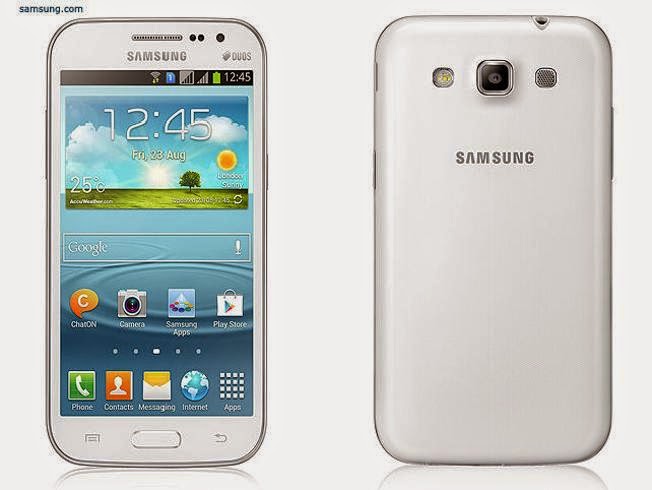
The Samsung Galaxy Grand Quattro (also called the Samsung Galaxy Win Duos) is a 4.7 inch sized mid-range Android smartphone that was launched in mid-2013. If you happen to have gotten yourself either of these and are looking for a safe and effective root solution, you are in just the right place. Read on to know how.
REQUIREMENTS
This root guide is meant for the Samsung Galaxy Grand Quattro, model number GT-I8552, running Android 4.1.2 Jelly Bean firmware. You can confirm the model number and Android version by going to Settings > About Device on your phone or by checking the packaging box labels. Do not try this method on any other phone models.
BEFORE WE BEGIN
Download the following Rooting package, based on your device model number and save it to your desktop
Step 1 – INSTALL CWM RECOVERY ON GALAXY GRAND QUATTRO
- First of all, download and install the Samsung USB drivers on your PC
- Next download the CWM recovery tar file from above, and save it to your desktop
- Connect your phone to PC via USB cable and transfer the Rootkit zip file from the folder you extracted in Step 2 to the internal memory of your phone
- Download the ODIN package and extract it to your desktop too
- Disconnect the phone and power it off
- Open the ODIN folder you extracted in Step 4 and run the Odin3 exe file as administrator
- Now power on your phone while pressing the Volume Down + Home + Power buttons at the same time. This will boot your phone into Download Mode
- Now plug in your phone to the PC. You should see an Added! message in the Odin window

- Click the PDA button in ODIN and load the recovery.tar.md5 file from your desktop
- Leave everything else in ODIN as it is. Check screenshot below for confirmation

- Double-check everything in ODIN and click the Start button to start flashing the CWM recovery image on to your device
- Once the flashing is complete, you should see a Green PASS message at the top left in ODIN. It is now safe to disconnect your phone. CWM Recovery has been flashed on your device